How to get quantities from a 2D plan
Drop a DXF, PDF or image plan into Stud, answer the agent's questions, then read and export wall, floor and roof areas, openings and weights.
Tony Huaulme2 min read
Before you start
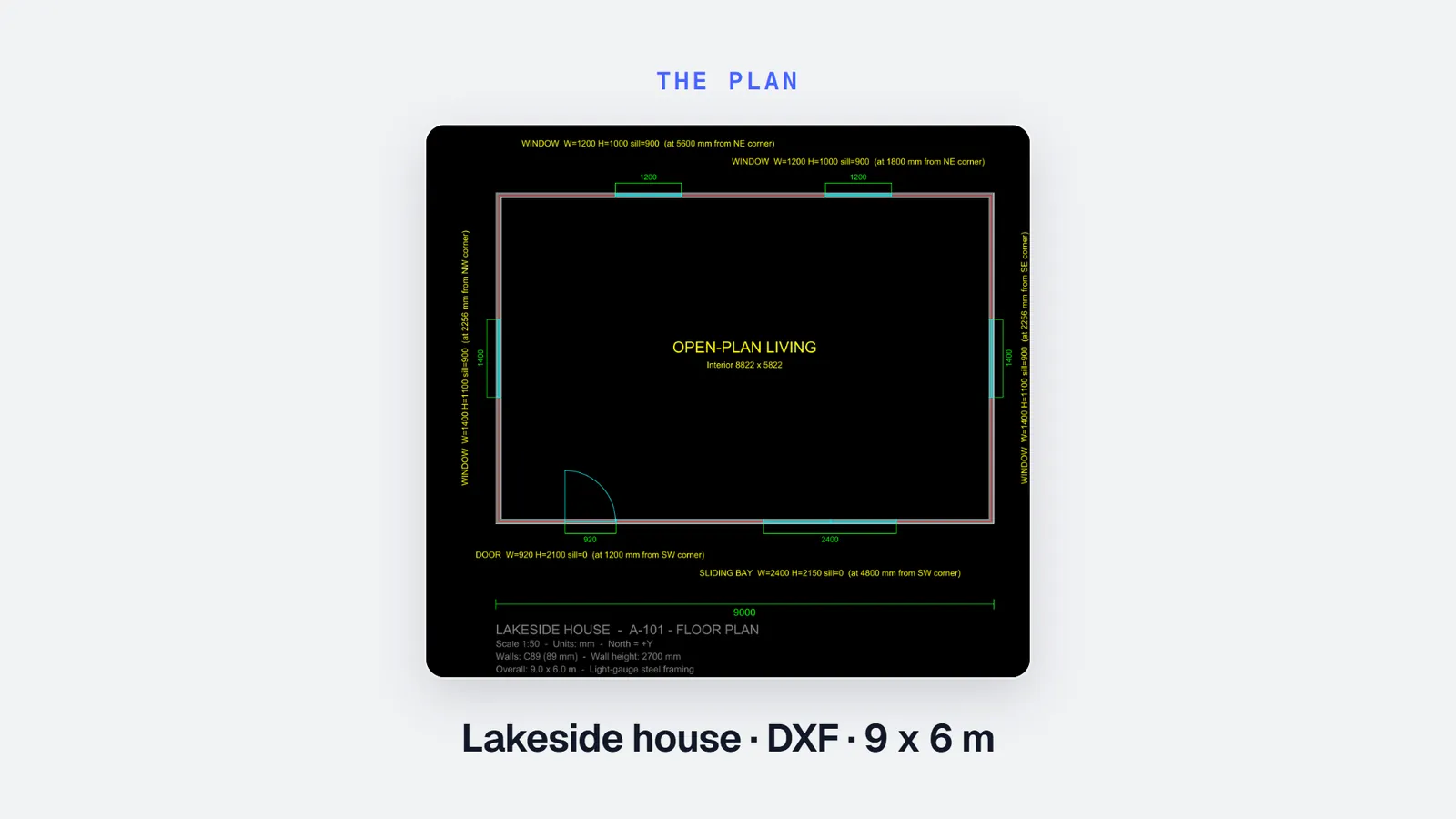
- A 2D plan: a DXF or PDF plan, a plan image, or a sketch with its dimensions written on it.
- What the plan does not show, if you know it: wall height, wall and roof thicknesses, the structural system.
- A Stud account. The free beta shows the quantities on screen; the Take-off plan exports them.
Time: a few minutes for a simple house, longer for a large or busy plan
Steps
1Create a project
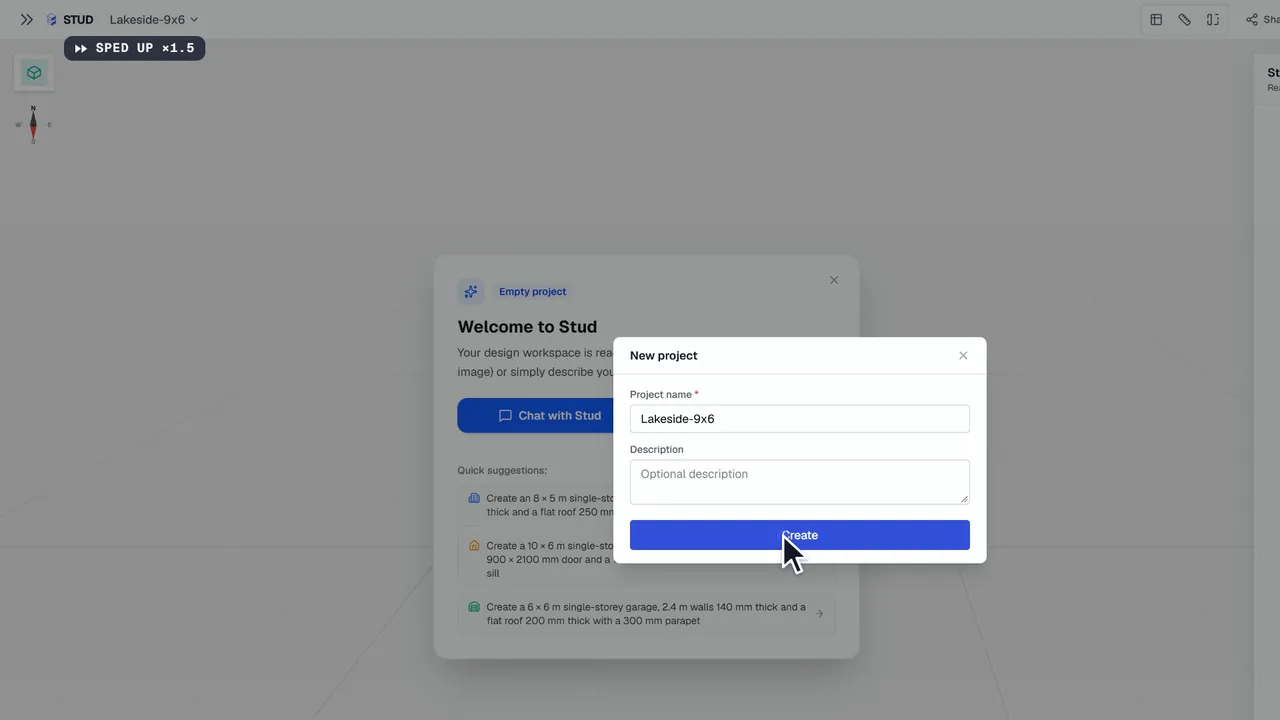
Open Stud and create a new project. Give it the name you use for the job, so you find it again when the client calls back.
2Attach the plan and write your brief
Click + in the chat and attach the plan. Then say in a few words what you want: the building, the roof, what it sits on, the system you price in. For example: build this house from the attached plan, with a flat roof; it sits on a slab, no floor.
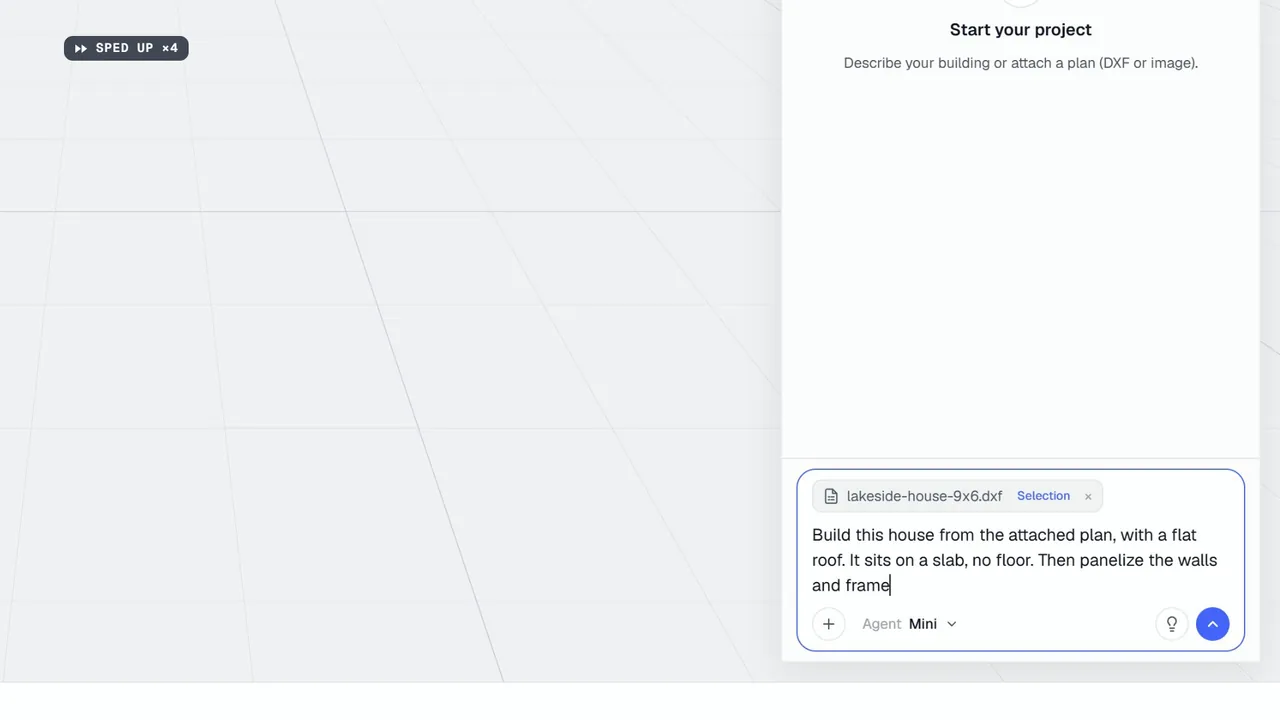
3Answer the agent's questions
The agent reads the plan and builds the levels, walls and openings. When a dimension is neither on the plan nor in your brief, it asks, in a short form. Answer, and it goes on. It never puts in a standard height or thickness you did not give.
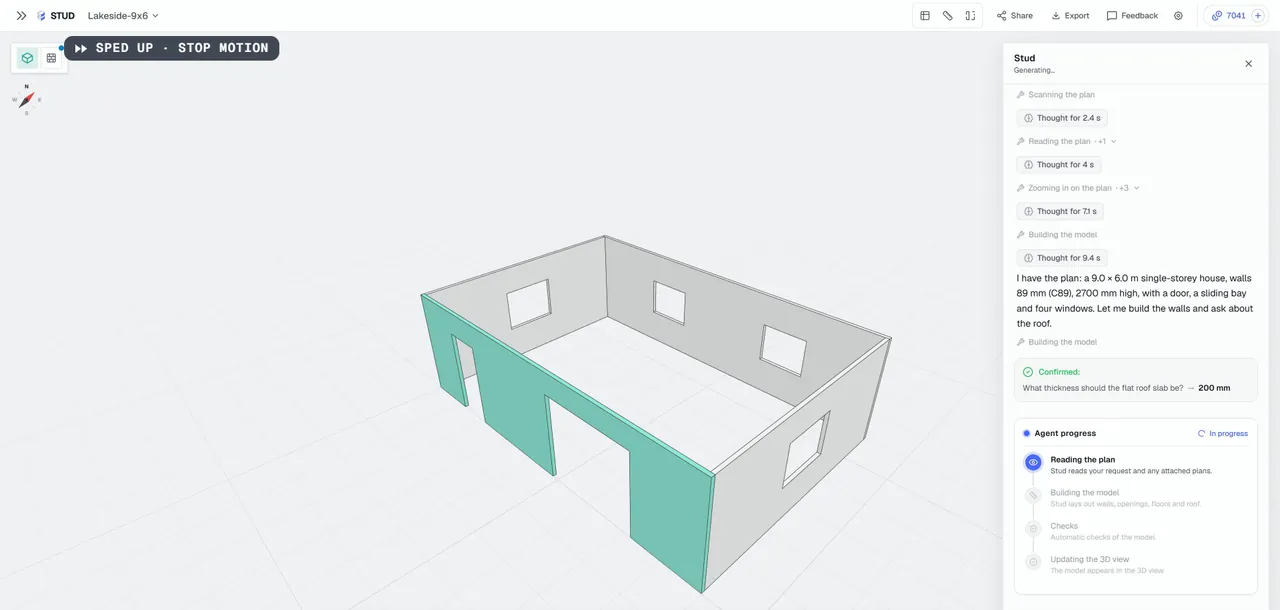
4Check the model
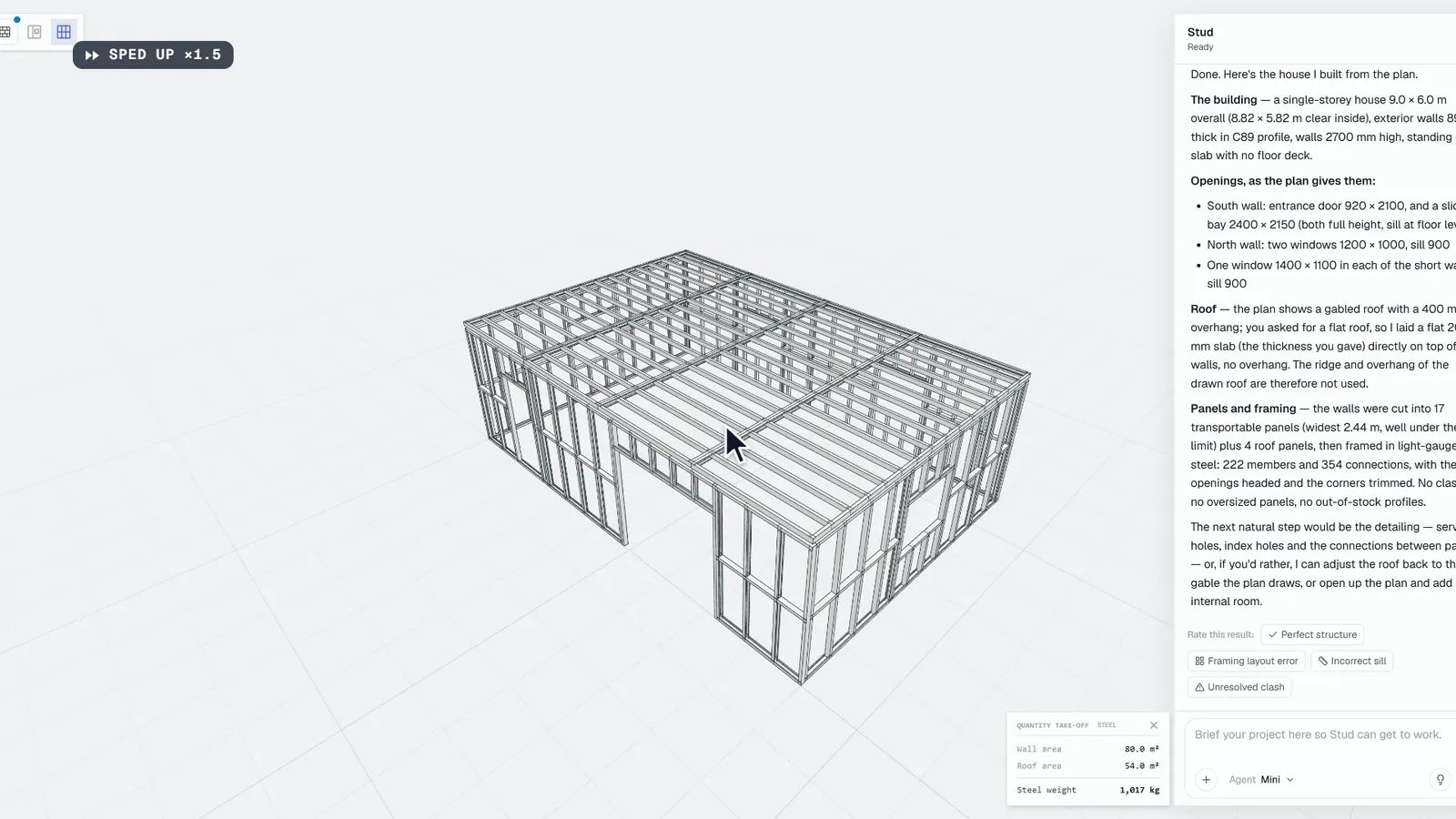
Turn the 3D model around and compare it with the plan. If something is wrong, click the element and write the change: the agent updates the model, and the quantities follow.
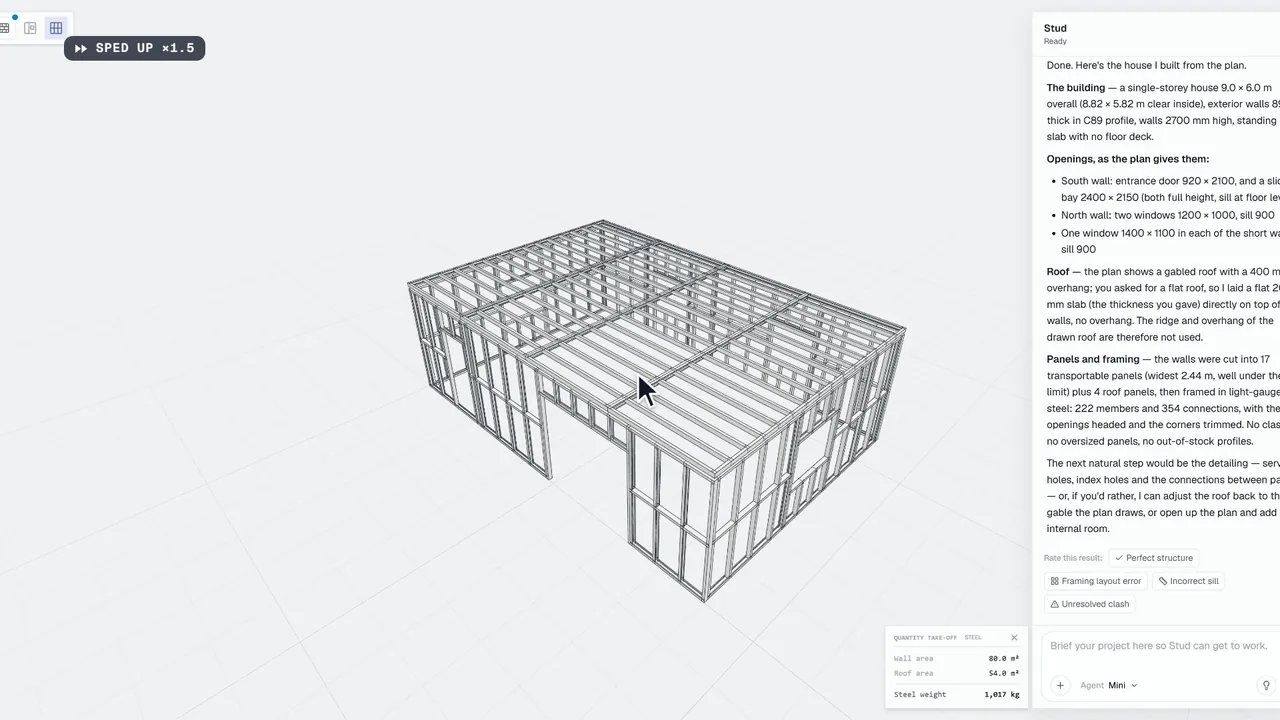
5Read the quantities
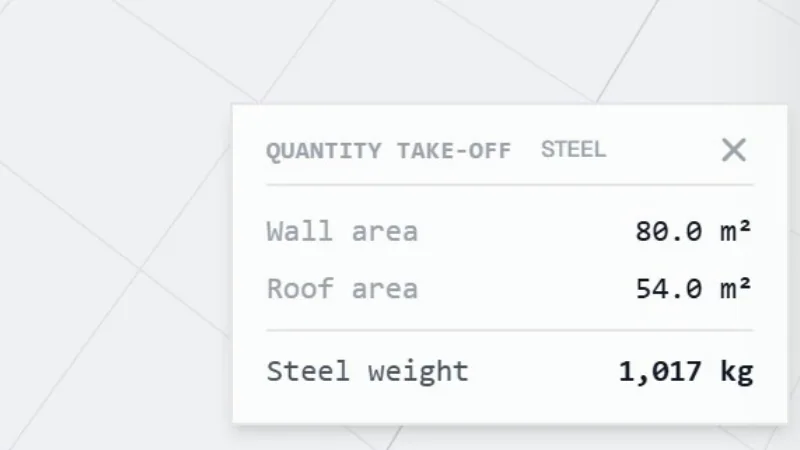
The take-off card shows the quantities of the model: wall, floor and roof areas, volumes, steel or timber weights. Open it to see the detail per level and in total, windows and doors by type and size.
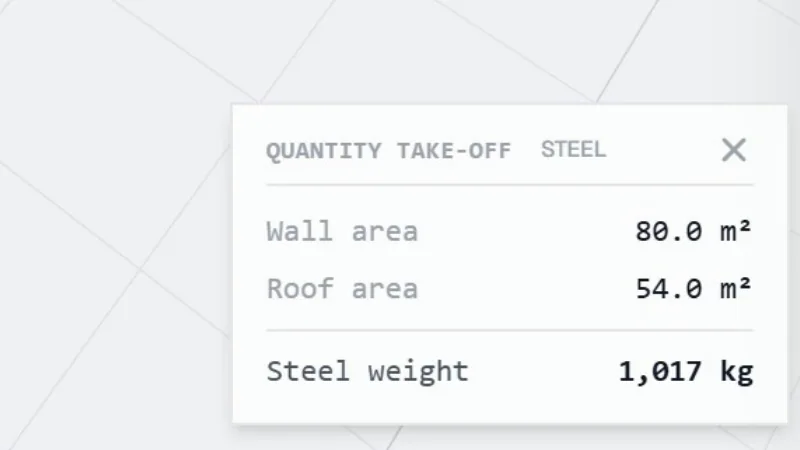
6Export them
With the Take-off plan, export the quantities to Excel, CSV or PDF, per level and in total, and price the job with your own rates.
What you get
A 3D model you have checked against the plan, and its quantities per level and in total: exterior and interior walls, floors, roofs and trusses in m², windows and doors by type and size, volumes and material weights. Stud gives quantities, not prices: the price stays yours.
Common mistakes
- Sending the plan without a brief. The agent will build what the plan shows and ask for the rest. A two-line brief (roof, what the building sits on, the system) saves a round of questions.
- Attaching every sheet at once. Start with the floor plan of each level. Sections and elevations help when you ask about heights, not before.
- Reading the quantities before checking the model. The quantities are only as right as the model. Look at the 3D first: a missing wall or a wrong opening shows at a glance.
- Expecting a price. Stud gives quantities. Your rates turn them into a price.
Questions
Do I need the Take-off plan to see the quantities?
No. The free beta shows the quantities on screen. The Take-off plan is for exporting them to Excel, CSV and PDF.
What if my plan has no heights?
Most plan views have none. Give them in your brief, or wait for the agent's questions: it asks for what is missing and never guesses.
Can I get the quantities for timber instead of steel?
Yes. Say the structural system in your brief, or change it later: the same model gives steel or timber weights.