Construction take-off from 2D plans with AI: what works today
An AI agent can read a DXF, a PDF or a plan image and give you wall, floor and roof quantities. What works today, and where it still needs you.
Tony Huaulme3 min read
What does "take-off from a 2D plan" mean here?
A take-off lists the quantities of a building so you can price it: wall, floor and roof areas, openings, volumes, materials. Done by hand, you measure each one on the plan.
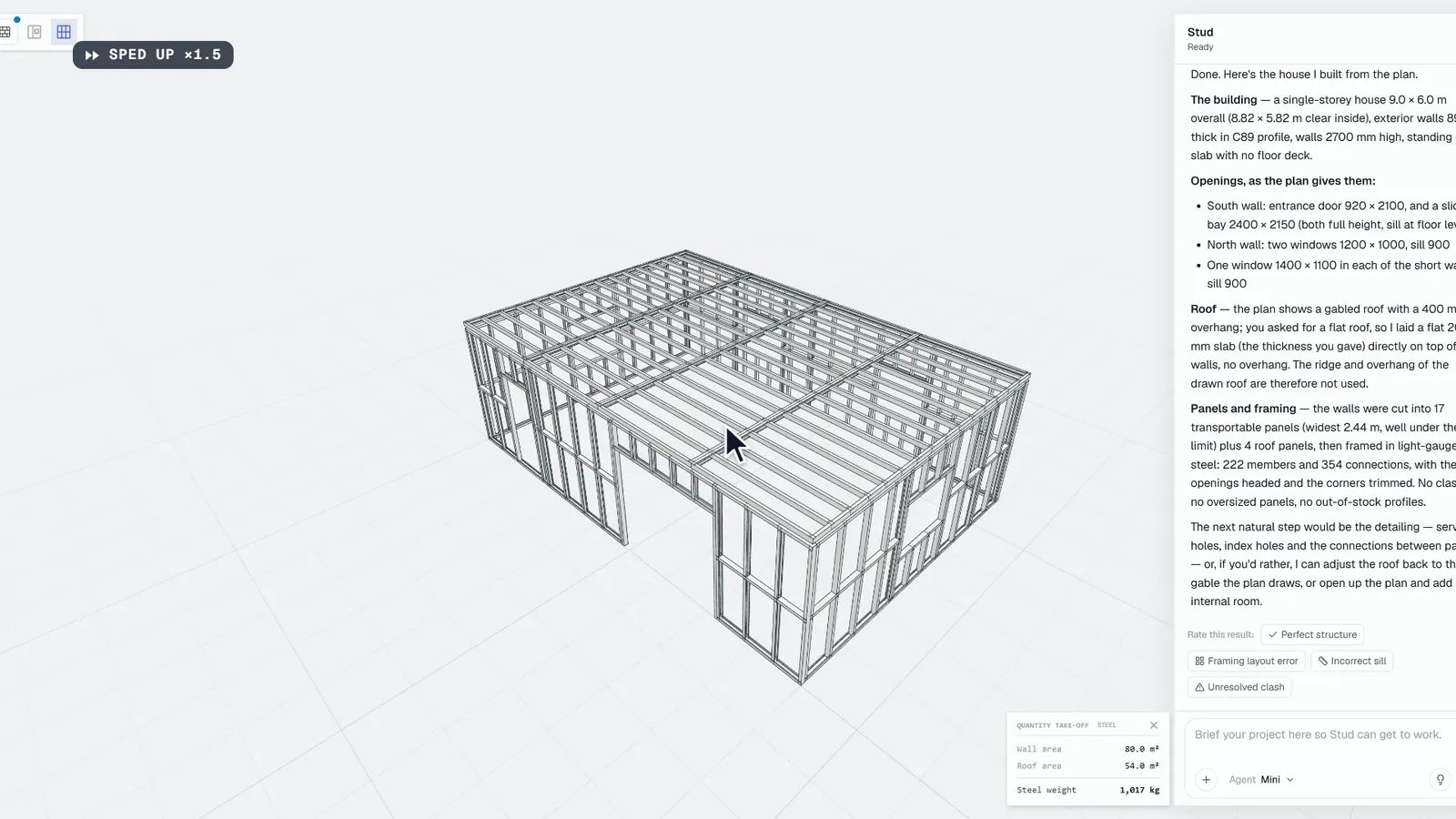
An AI agent works the other way round. It reads the plan, builds the building in 3D, and the quantities are read off that model. You do not measure lines; you check a building. And when you win the job, the same model goes on to panels and framing instead of being redrawn.
What can an AI agent read on a plan today?
| Input | What it carries | What to watch |
|---|---|---|
| DXF | Real geometry in real units, organised in layers | Keep the layers that matter: walls, openings, dimensions |
| The sheet as drawn: lines, text, dimensions | A scanned PDF is an image: dimensions must be legible | |
| Plan image | What is drawn and written | One plan per level, dimensions readable |
| Hand sketch | The dimensions you wrote | It need not be to scale; every dimension must be written |
Plan views almost never give heights or thicknesses. A good agent does not invent them: it asks.
What does a real run look like?
Which quantities come out?
From the model, per level and in total:
- exterior and interior walls, floors, roofs and trusses, in m²;
- windows and doors by type and size;
- areas and volumes of the building;
- steel and timber weights, concrete block counts;
- the m² of each wall layer, once the wall types are set.
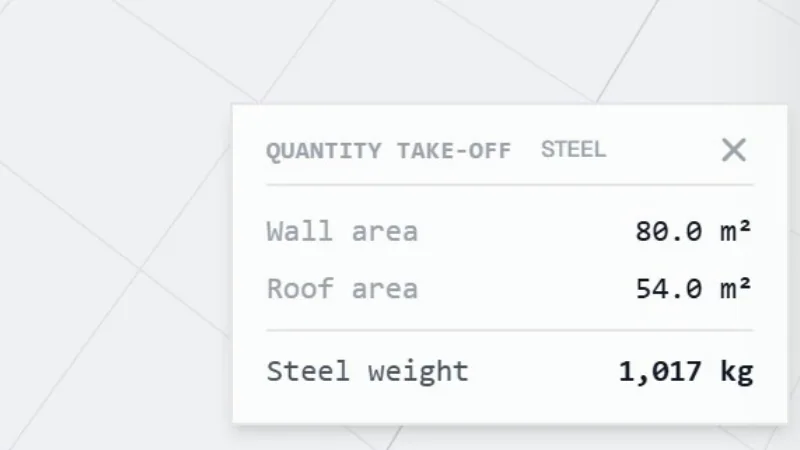
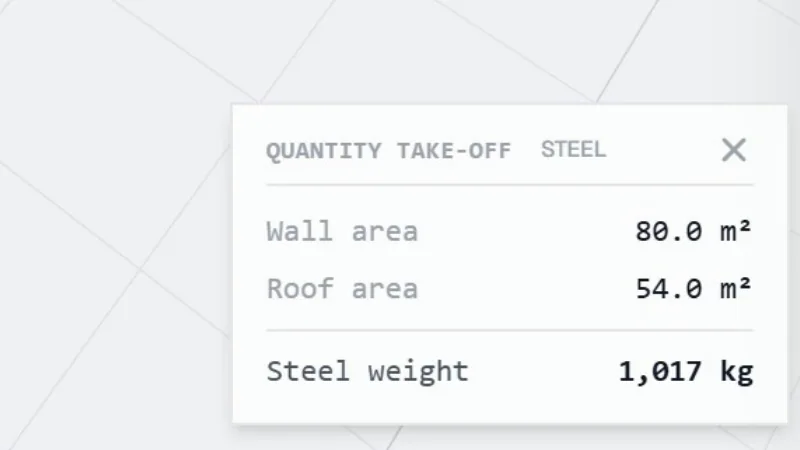
On Stud, the quantities show on screen in the free beta, and the Take-off plan exports them to Excel, CSV and PDF.
Where does it still need you?
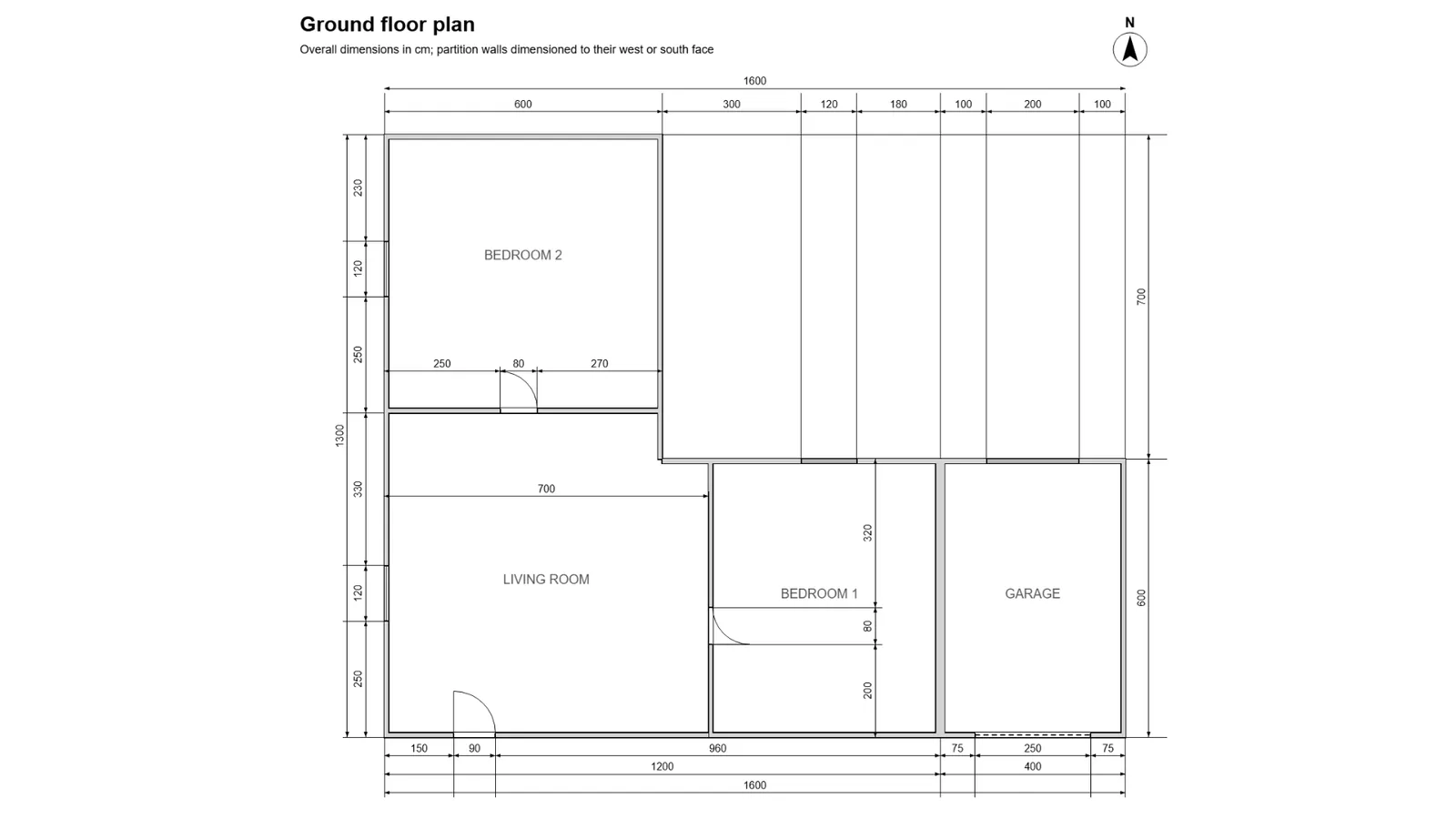
- The dimensions the plan leaves out. Heights, thicknesses, sill heights: the agent asks for each one. On a plan image of an L-shaped house with no heights, it asked for seven values before building anything.
- Busy real-world plans. Clean, dimensioned plans work best. A dense permit set with overlapping information is harder: expect more questions, and check the model closely.
- The check. Look at the 3D before you read a number. If a wall or an opening is wrong, click it and say what to change; the quantities follow.
- The price and the structure. The agent gives quantities, not prices, and it does not run structural calculations or check building codes.
How do you check the quantities before you send a price?
Compare the model with the plan, level by level: the outline, the walls, each opening. Then open the take-off and look for what you would expect on that job: a garage door, a partition, the roof area against the footprint. A wrong number almost always points to a wrong element in the model, and the model is easy to correct.
Sources
- Library of Congress, DXF (AutoCAD Drawing Interchange Format) Family, ASCII variant, checked 23 October 2026
- Library of Congress, PDF (Portable Document Format) Family, checked 23 October 2026
Questions
How accurate is an AI take-off?
As accurate as the model it reads from. The agent builds from the dimensions written on the plan and asks for the ones that are missing; you check the model on screen before you price. We publish no accuracy figure: it depends on the plan.
Can it read a scanned plan?
A scanned plan is an image: it works when the dimensions are legible. Clean, dimensioned plans give the best results; busy real-world sets are harder, and the agent asks more questions.
Does it price the job?
No. It gives quantities. Your rates turn them into a price.